
Getting started
How to register an AIPlay account in Malaysia
Start with the registration link below. It opens the AIPlay form with the referral code filled in; use your own Malaysian mobile number and set your password on the AIPlay page. This guide walks through the captured steps and the checks to make before entering account details.
Checked
Nothing on this page collects anything. You set your password in AIPlay’s own form, and no part of this site will ever ask you for it, for your PIN, or for a code sent to your phone.
Before you start
Have these details ready before opening the AIPlay form.
The registration link
Use the registration button in this guide. The form opens through our referral link and fills in its code for you. Check that the final page is on myaiplay.club before entering account details.
Your bank account name, spelled the way the bank has it
The form asks for your full name as it appears on your bank account, and the KYC check later compares the two. A difference in the recorded names may require correction before a withdrawal can be processed.
A Malaysian mobile number that can receive SMS
The number is your account — there is no username and no email address — and a one-time code is sent to it during sign-up. Use a number you will keep, because it is also how you get back in if you forget your password.
Registering, step by step
The screenshots are the real screens, captured on the date above. Tap one to see it full size.
Registration opens ai668.co, then continues to myaiplay.club. Check the final address before entering account details.
Use the registration button in this guide to open the referral link, then tap "Register Now". Check that the final form is on myaiplay.club before entering your details.

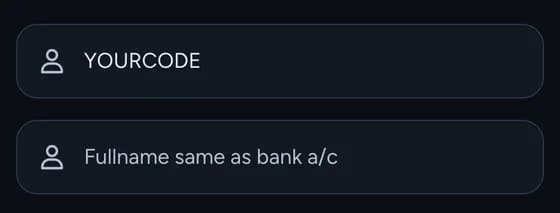
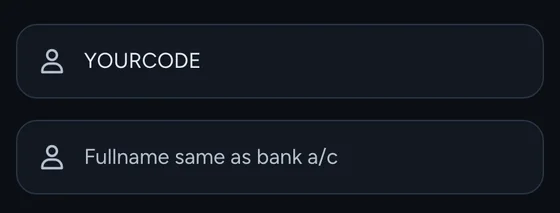
Check the referral code already filled in at the top, then type your full name exactly as your bank has it — the field is labelled "Fullname same as bank a/c" for a reason.
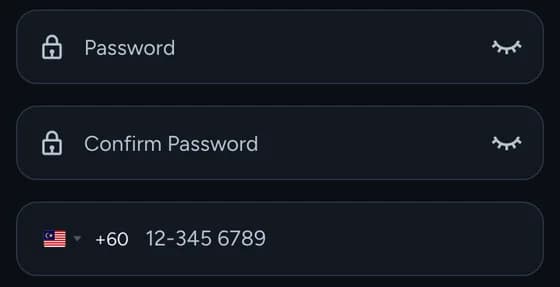
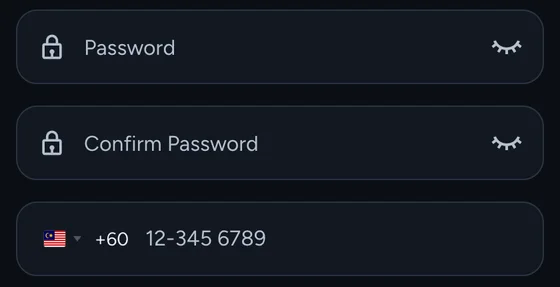
Set a password and confirm it, then enter your Malaysian mobile number after the +60.
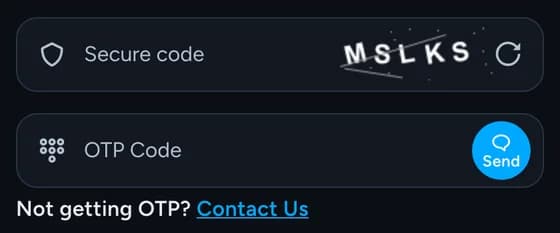
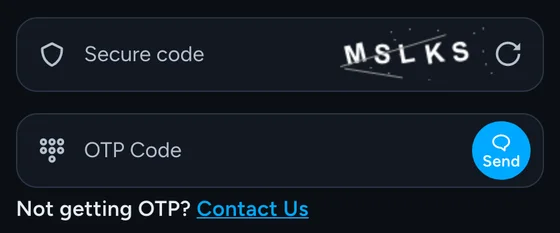
Type the secure code shown beside the field, then tap "Send" and enter the one-time code that arrives by SMS.
Tap "Sign Up". You are taken into the app, signed in on the number you just registered.

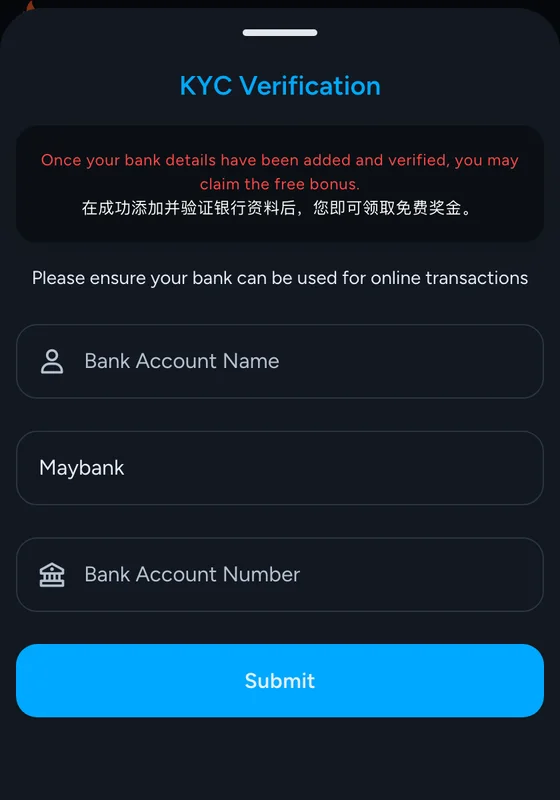
Add your bank account name, your bank and your account number for the identity check. Confirm any withdrawal or bonus eligibility in your account, as offer terms may change.
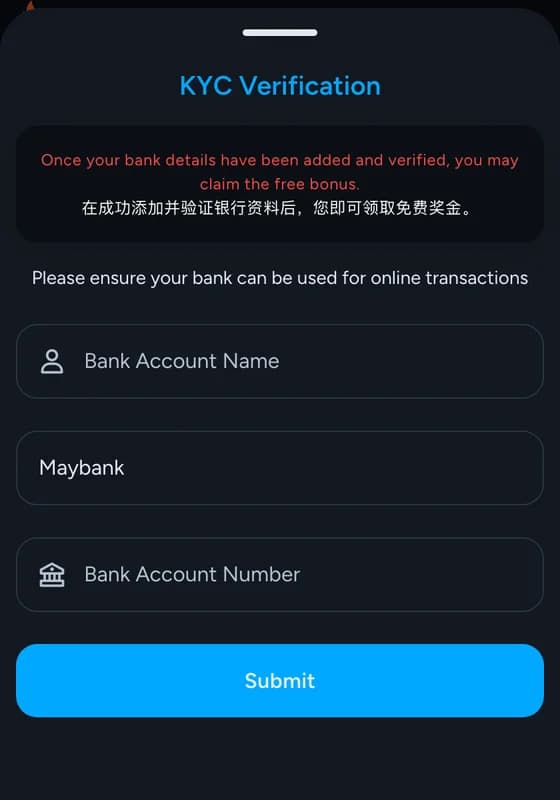


Why it asks for your bank account name
The name you type at sign-up is compared against your bank account when you complete the KYC check, and the two have to match. This is worth getting exactly right at the start, because it is the thing that decides whether your first withdrawal clears or waits: a missing middle name, initials instead of a full name, or the spelling your friends use rather than the one on your account will all hold it up. Copy it from your banking app if you are not certain.
If the one-time code does not arrive
The form has a “Not getting OTP? Contact Us” link directly under the field, which opens support. Before using it, check the number you typed after the +60 and give it a minute — Malaysian networks sometimes delay an SMS rather than dropping it. Do not ask anyone else to send you a code, and do not accept one somebody offers.
What nobody will ever ask you for
Registration is the moment this brand gets impersonated most, because a convincing copy of a sign-up form costs nothing to build and collects exactly what its author wants.
Nobody from AIPlay will ask you to read out the one-time code from your SMS. Not support, not an agent, not a promotion.
No genuine step asks for your password after you have set it, and support does not need it to help you.
The six-digit PIN that authorises transfers is separate from your password. Set it to something different, and keep it to yourself.
If a page asks for a username, you are not on the AIPlay sign-up form. It asks for a phone number.
What happens after you sign up
Finish the KYC check first, even if you are not depositing yet — it unlocks the new-player bonus and it is the slowest thing to sort out later. After that, the deposit guides cover each payment method separately, and the FAQ has the account questions that come up in the first week, including what the six-digit PIN is for.
Registration opens ai668.co, then continues to myaiplay.club. Check the final address before entering account details.