
All how-to guides
Account and referrals
Add friends
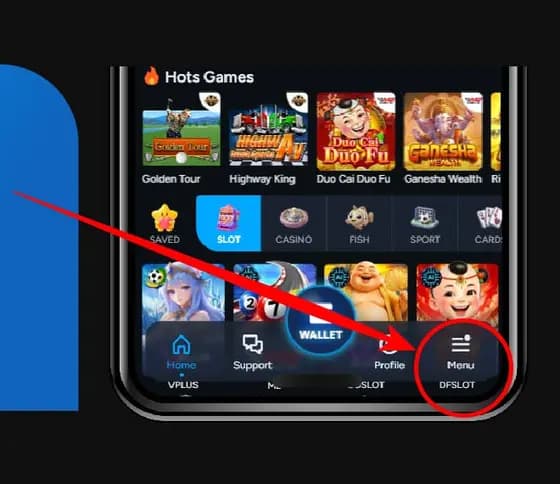
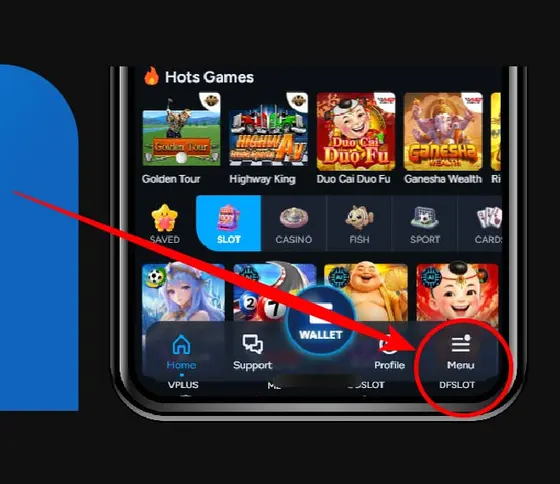
5 steps in the AIPlay app. Click button "Menu" is the first.
Before you start
- Use your own account and open the section named in the steps.
- Read the current terms before sharing a link or changing account details.
What completion looks like
Confirm that the change or new link appears in your account before leaving the page.
If the screen or status differs
Do not repeat a transaction or bypass a warning. Save the screen, time and reference number, then open operator support through a destination you opened yourself.
Click button "Menu"
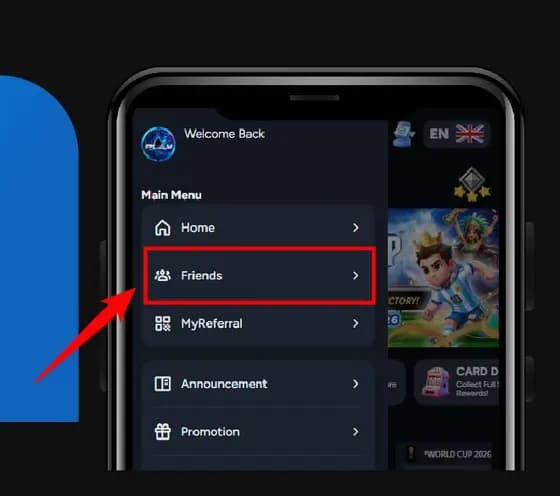
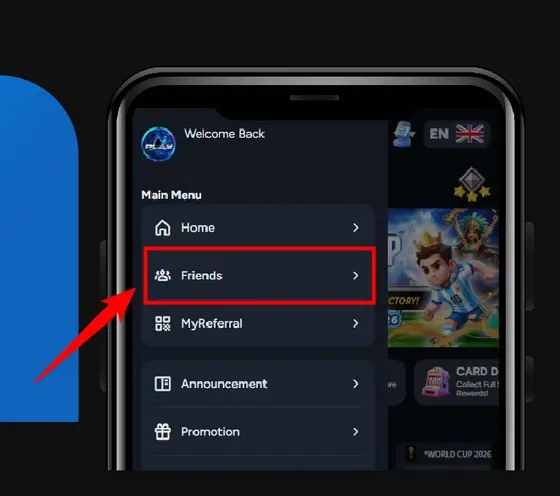
Click "Friends".
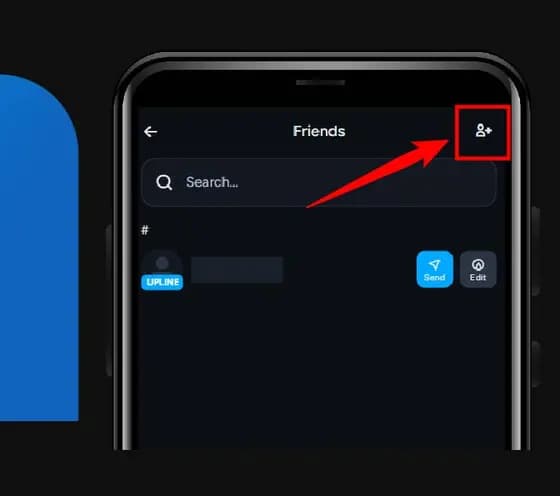
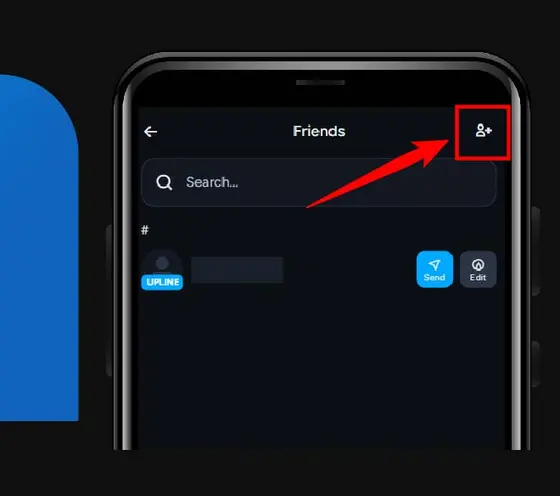
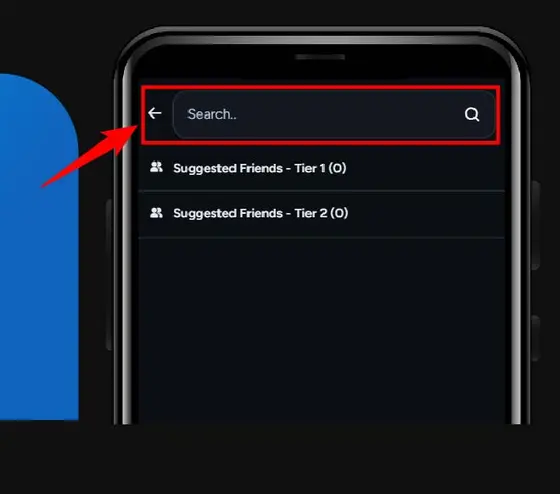
Click the icon in top right corner.
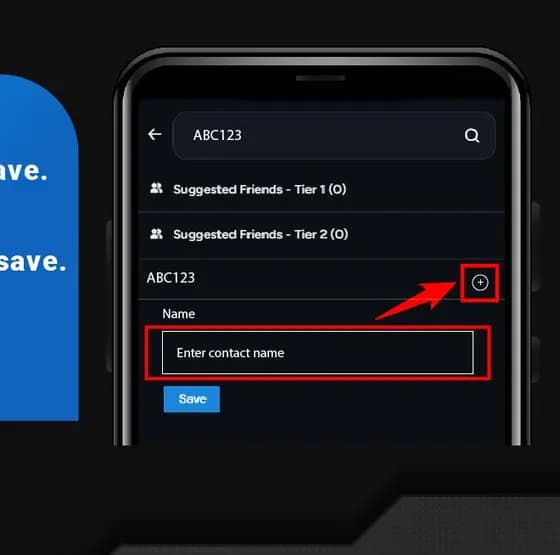
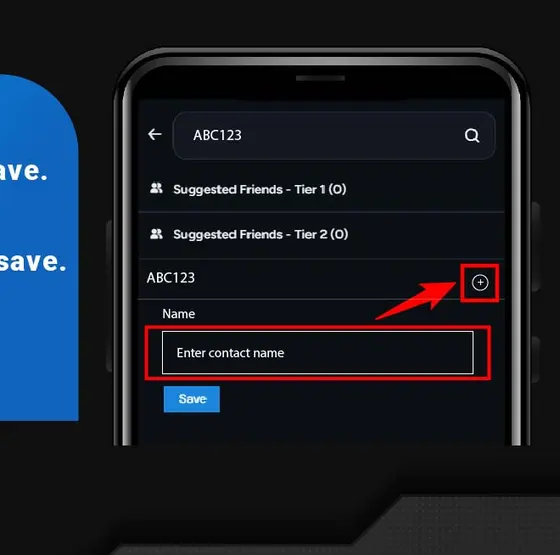
Enter your friend's account name.
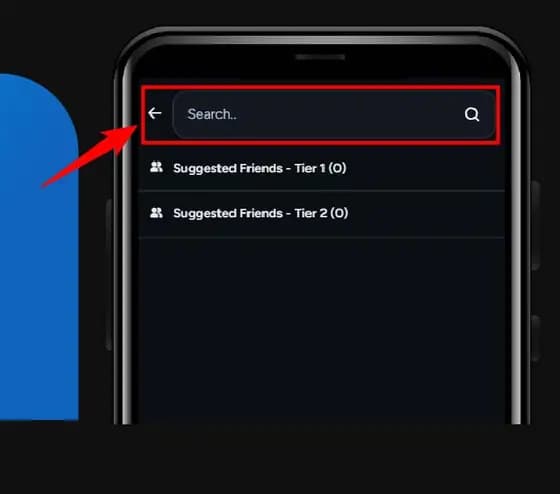
Click "+" to enter contact name & click save.
Screens change. If what you see does not match a step here, follow what the app shows you and contact support from this site rather than from a link in a message.