
The app
Install the Android app
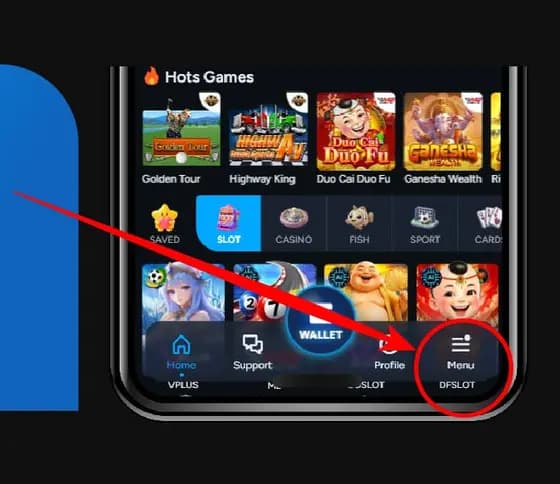
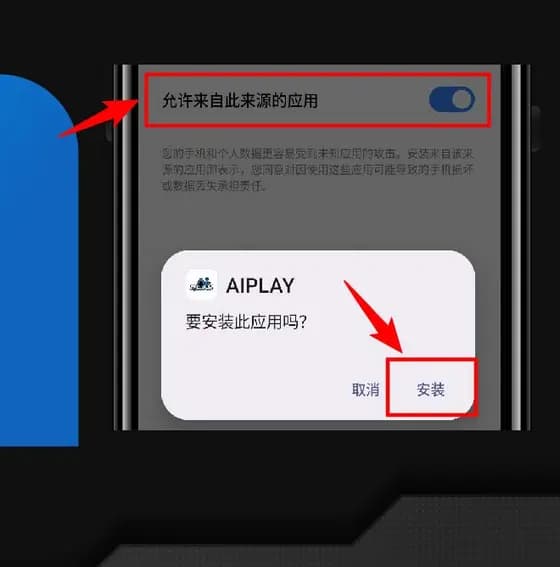
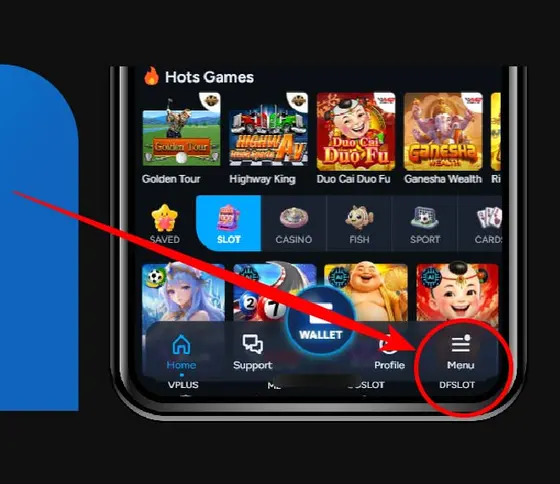
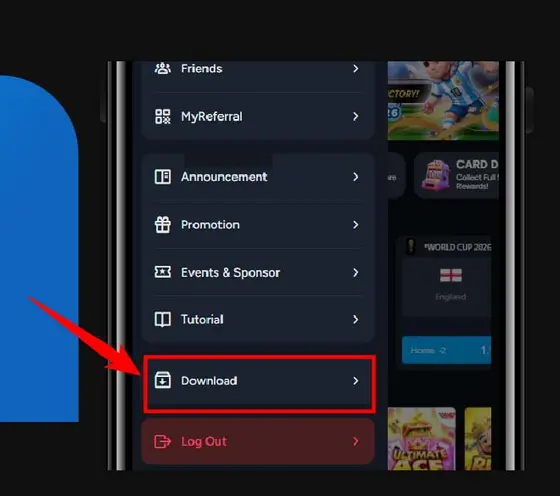
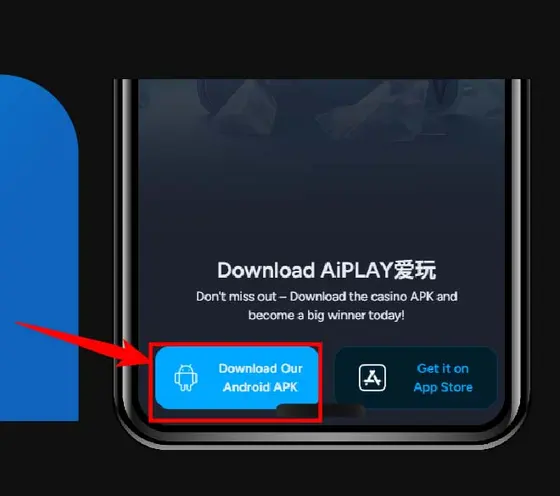
5 steps in the AIPlay app. Click button "Menu" is the first.
This captured tutorial shows the Android download flow inside the operator platform. The partner-owned companion APK distributed by this affiliate is a separate release; check its version, checksums and signing identity on our download page. View partner APK details.
Before you start
- Check that your device, operating system and browser match the guide.
- Read every installation warning and permission request before continuing.
What completion looks like
Open the app or shortcut from the source you chose and verify the destination before signing in.
If the screen or status differs
Do not repeat a transaction or bypass a warning. Save the screen, time and reference number, then open operator support through a destination you opened yourself.
Click button "Menu"
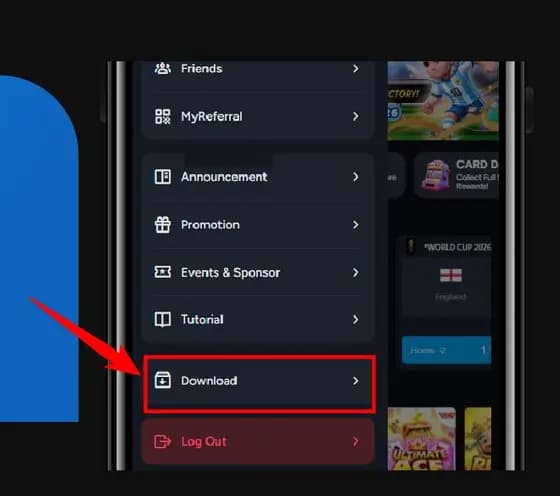
Click "Download".
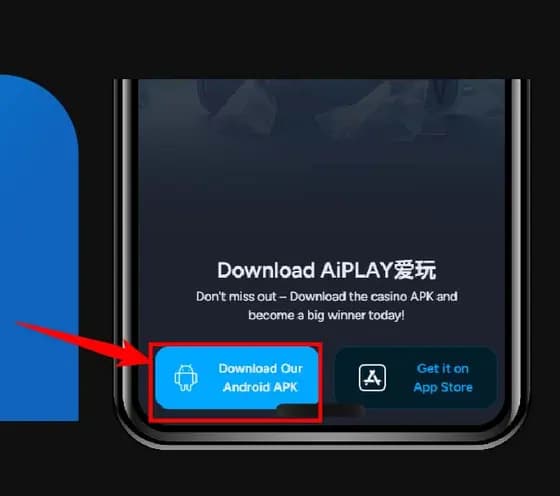
Click the icon in bottom left corner.
Click "Setting".
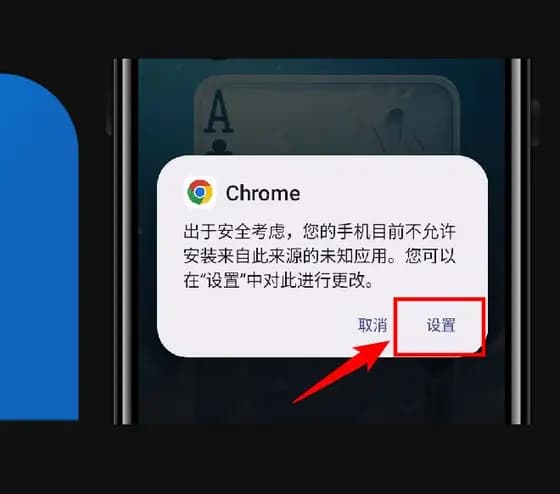
Turn on "Allow apps from this source".
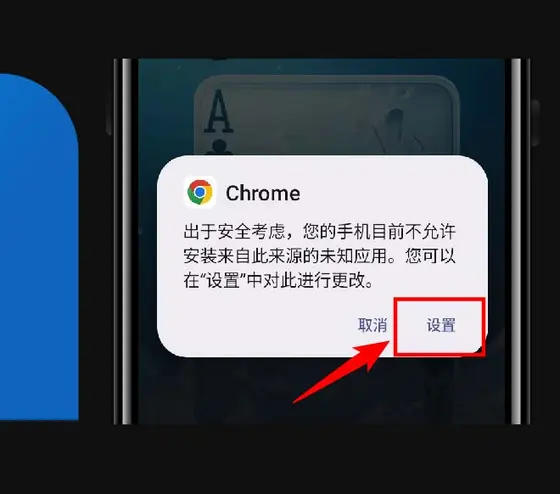
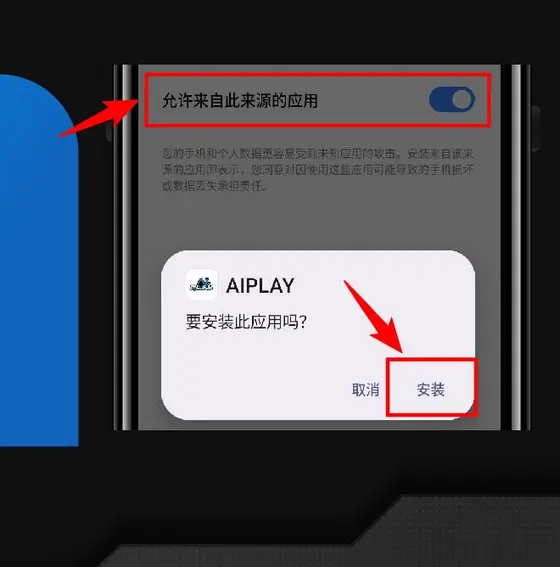
Screens change. If what you see does not match a step here, follow what the app shows you and contact support from this site rather than from a link in a message.