
Taking money out
Withdraw to your bank account
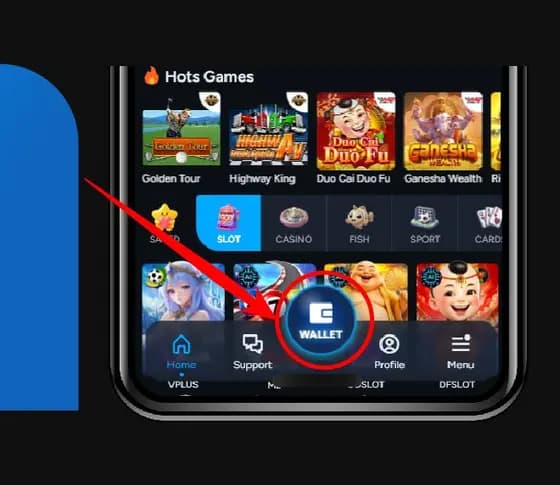
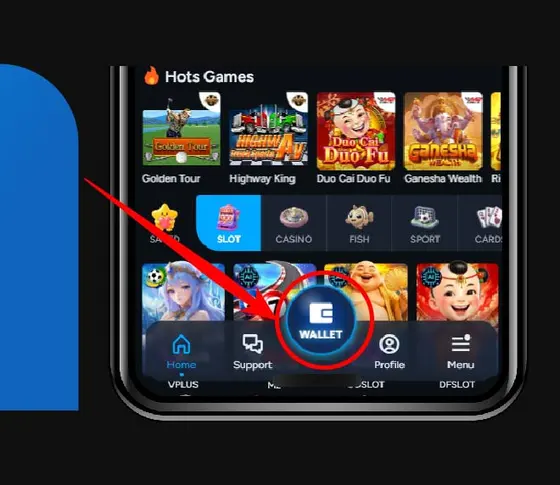
8 steps in the AIPlay app. Click button "Wallet" is the first.
Before you start
- Confirm that the bank or wallet account name matches your account record.
- Check identity verification, transaction PIN and turnover status in the account before submitting.
What completion looks like
A submitted request does not prove funds have arrived. Keep the reference and check the account status until it completes or is rejected.
If the screen or status differs
Do not repeat a transaction or bypass a warning. Save the screen, time and reference number, then open operator support through a destination you opened yourself.
Click button "Wallet"
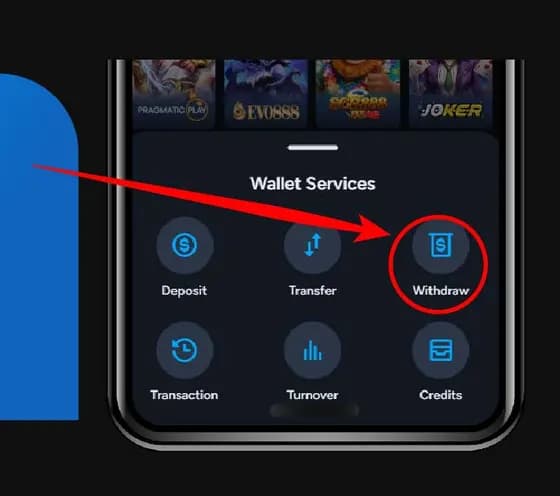
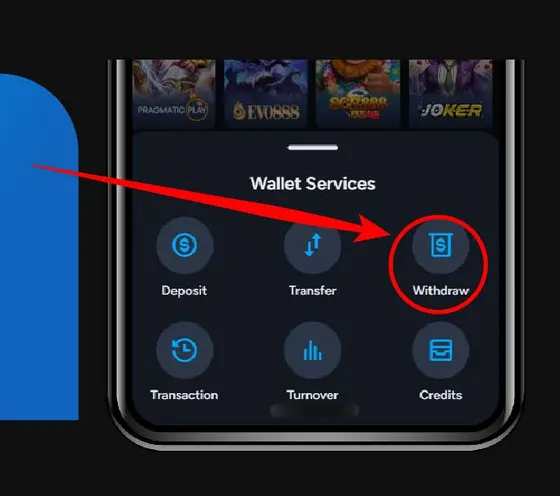
Click button "Withdraw"
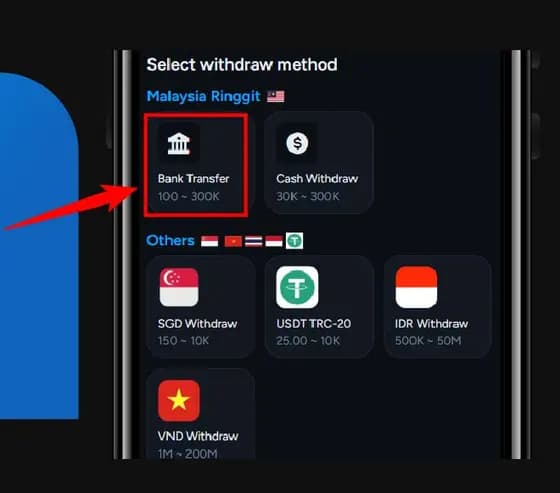
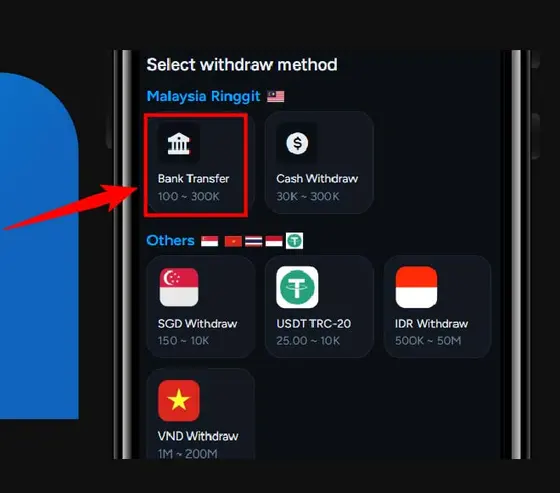
Click button "Bank Transfer"
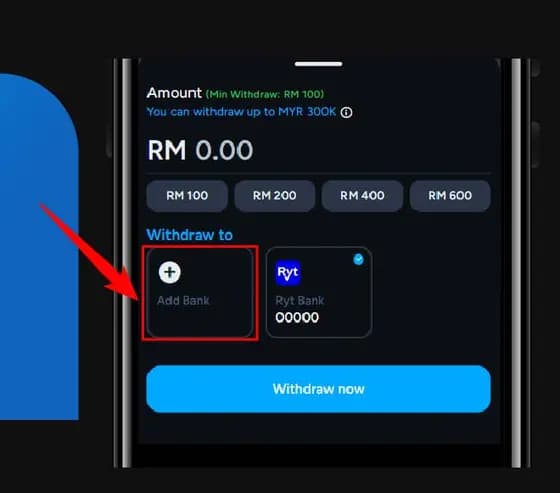
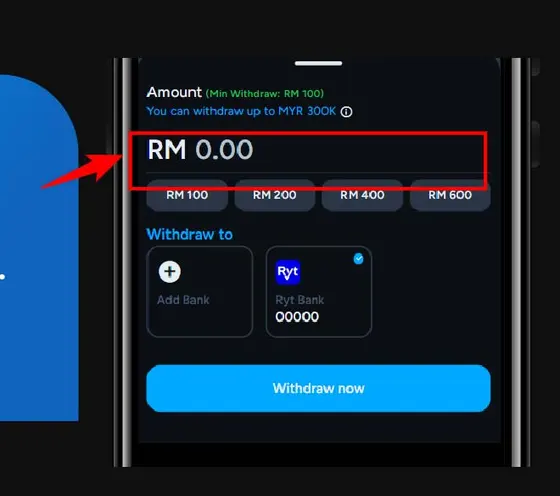
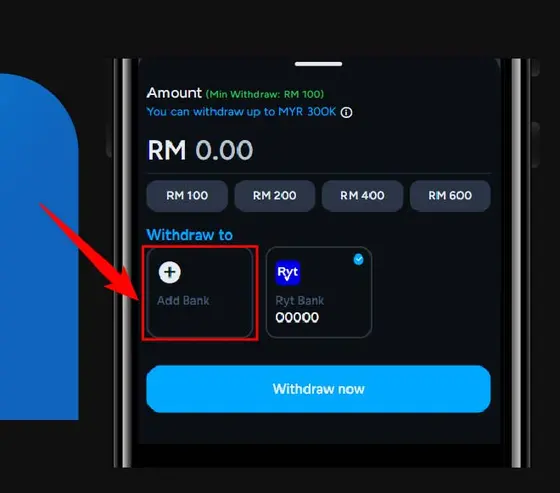
Fill in your withdraw amount.
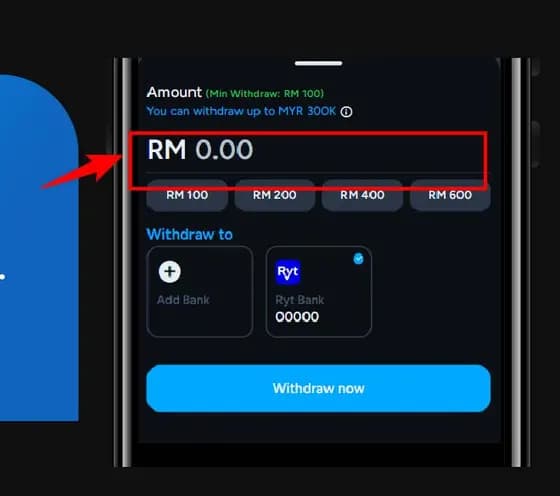
Click "Add Bank"
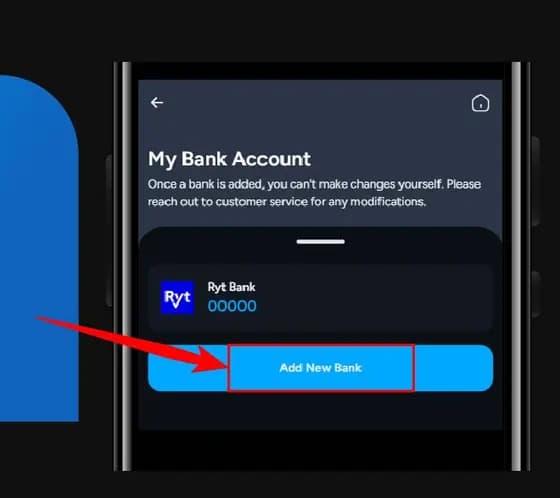
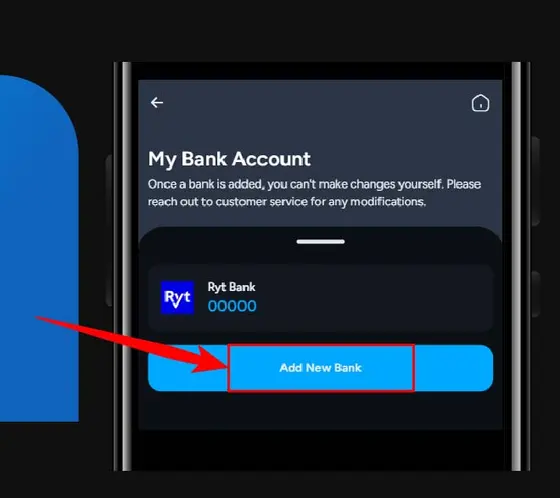
Click "Add New Bank".
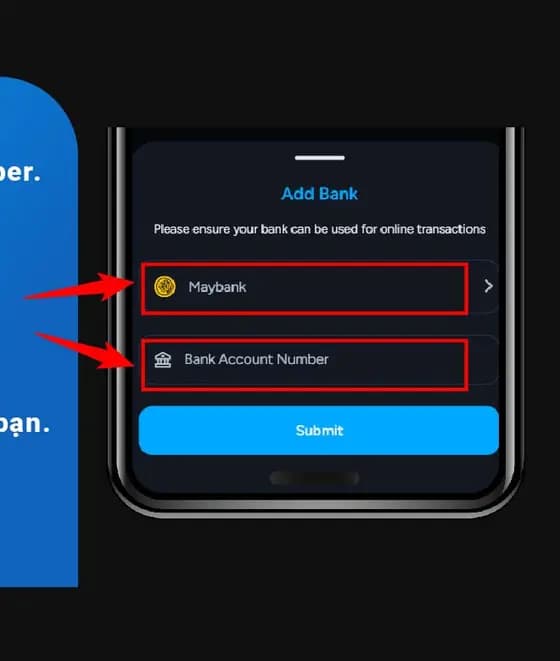
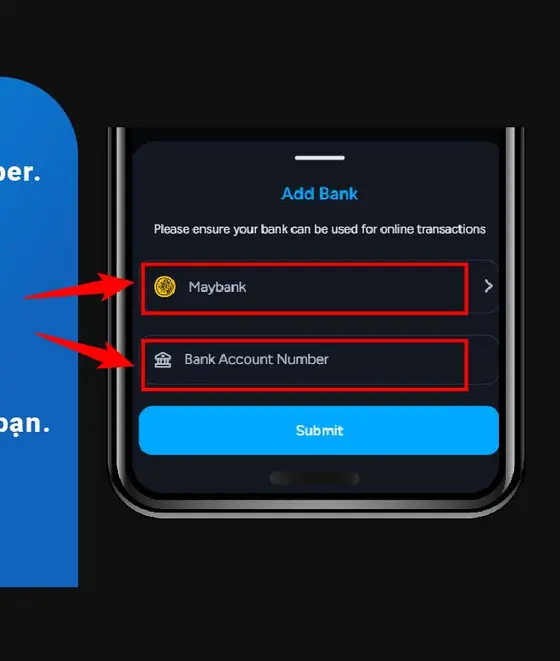
Choose bank and fill in your account number. Click "Submit".
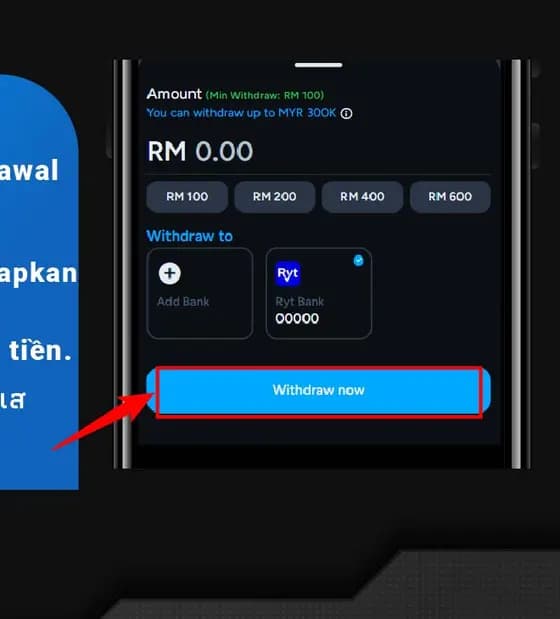
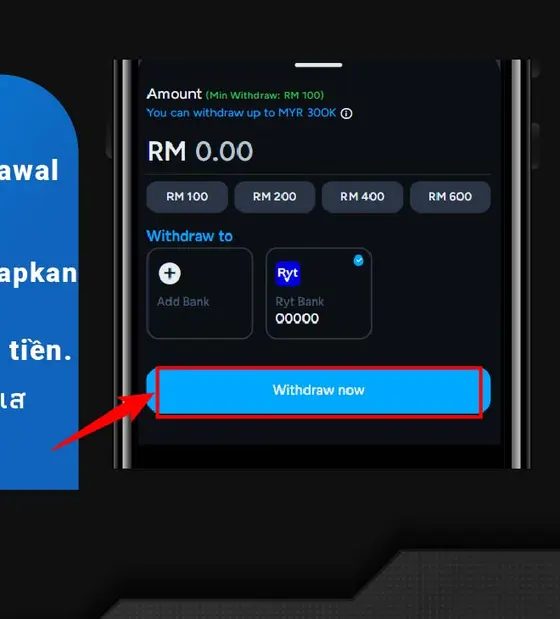
Click "Withdraw now" to complete withdrawal
Screens change. If what you see does not match a step here, follow what the app shows you and contact support from this site rather than from a link in a message.